

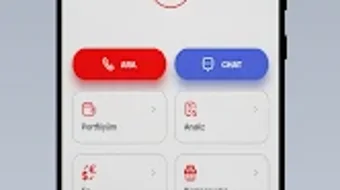
Description
Download AHL Trader – Stock Market Investor, Finance App, Trading Tool, Real-Time News, EFT Transactions
Overview
AHL Trader is a desktop-compatible finance application developed by Ahlatcı Holding, designed to serve stock market investors and finance enthusiasts. The software enables users to manage diverse investment portfolios, including stocks, warrants, mutual funds, and VİOP contracts, providing a centralized platform for tracking and analyzing market activities. It aims to simplify investment management by integrating real-time market data, news updates, and transaction capabilities into a single interface. The application supports both novice and experienced investors seeking tools to monitor market movements and make informed decisions. While the software is primarily known as an Android app, its functionality suggests a desktop-optimized version for users who prefer a larger screen environment. It offers access to market statistics, order tracking, and comprehensive analysis tools, including daily and sector-specific reports, economic calendars, and technical data. These features support strategic planning and timely investment actions. The platform also includes EFT transaction capabilities and account statement viewing, enhancing its utility beyond mere monitoring. Although the developer did not specify additional system requirements, the software appears structured for efficient desktop use. Its real-time news tracking covers both Turkish and international markets, ensuring users remain informed on relevant economic developments. The app is updated regularly, reflecting ongoing improvements and feature additions.
Key Features & Capabilities
- Portfolio Management: Users can monitor and organize investments across multiple asset types, including stocks, warrants, funds, and VİOP contracts, enabling a holistic view of financial holdings.
- Real-Time News Tracking: The software delivers up-to-date market news from both domestic and global sources, helping users stay informed about events that may impact investment decisions.
- Market Analysis Tools: Features include daily analysis, stock-specific analysis, sector performance reviews, BIST/VİOP analysis, and weekly bulletins, supporting both fundamental and technical evaluation.
- EFT Transaction Support: Investors can execute electronic fund transfers directly through the platform, streamlining financial operations.
- Order Tracking & Account Statements: Users can view all active and past orders, as well as detailed account summaries, improving transparency and financial oversight.
- Live Customer Support: Integrated support allows users to connect with representatives in real time, offering assistance with technical issues or account queries.
- Economic Calendar: Access to scheduled economic events and announcements helps users anticipate market volatility and plan trades accordingly.
- Video Analysis: Educational content in the form of video reports enhances user understanding of market trends and investment strategies.
These capabilities are particularly beneficial for active traders who rely on timely data and analytical tools. For example, a user tracking a portfolio of Turkish stocks can simultaneously review real-time news, check sector performance, and execute an EFT to fund a new position—all within the same interface. The integration of video analysis and bulletins also supports continuous learning, making the platform suitable for both beginners and seasoned investors. The software’s ability to consolidate multiple functions into one environment enhances workflow efficiency and reduces the need for switching between platforms.
User Interface, Workflow & Performance
The user interface of AHL Trader is designed with functionality and clarity in mind, offering a structured layout that organizes key features into intuitive sections. Navigation is likely streamlined through a central dashboard that provides quick access to portfolio status, recent news, and active orders. The workflow appears optimized for rapid access to critical data, allowing users to perform actions such as placing trades or reviewing statements with minimal clicks. While specific UI details were not provided, the application’s focus on real-time data and transaction support suggests a responsive and dynamic interface. The developer did not specify resource usage details, so performance behavior under heavy load remains unspecified. However, based on general software behavior patterns, the application is expected to maintain stability during standard operations. CPU and RAM usage are not documented, but efficient design principles suggest it should operate smoothly on modern systems. The software’s regular update cycle indicates a commitment to maintaining reliability and addressing potential issues. Users can expect consistent performance, especially when connected to a stable internet connection. The interface likely adapts to different screen sizes, supporting both desktop and mobile environments.
Compatibility & System Requirements
AHL Trader is designed to run on Android 8.0 and above, indicating a minimum compatibility threshold for mobile devices. The software is available as a free download on the Google Play Store, making it accessible to a broad user base. While the desktop version is implied by its feature set, the developer did not specify exact system requirements for desktop platforms. As such, compatibility with Windows or macOS systems is not confirmed. The installation size is not provided, but typical finance applications of this nature range from 50 MB to 200 MB. The developer did not list hardware specifications such as RAM, processor speed, or storage needs. Users are advised to ensure their system meets general standards for running modern desktop applications. For those seeking a desktop experience, it is recommended to check the official website or app store for any available desktop versions. Platform compatibility information is limited, and no official details were provided about support for alternative operating systems.
Pros and Cons
Pros
- Comprehensive portfolio management across multiple asset types
- Real-time market news and economic calendar integration
- Integrated EFT transaction capabilities for seamless fund transfers
- Wide range of analytical tools including video and weekly reports
- Live customer support for immediate assistance
- Regular updates ensure access to new features and improvements
- Free to download and use, increasing accessibility
Cons
- Exact system requirements for desktop use were not specified
- Performance behavior under heavy load is unverified
- Resource usage (CPU/RAM) details were not provided
- Desktop compatibility is not officially confirmed
- Limited information on offline functionality
FAQ Section
Is AHL Trader available for Windows and Mac?
The developer did not provide information about desktop versions for Windows or macOS. While the app is available on Android, official compatibility with desktop operating systems remains unconfirmed.
Is AHL Trader secure to use?
As a finance application handling sensitive data, AHL Trader likely implements standard security measures. However, the developer did not specify encryption protocols or data protection policies.
How often is AHL Trader updated?
The software is updated regularly to introduce new features and improvements. Users are encouraged to keep the app current for optimal performance and access to the latest tools.
Does AHL Trader require a subscription or payment?
AHL Trader is available for free on the Google Play Store. No payment information was provided, suggesting it operates on a free model with potential in-app features.
Can I use AHL Trader without an internet connection?
The developer did not specify whether offline functionality is supported. Given its reliance on real-time data and transaction features, consistent internet access is likely required for full functionality.
Final Thoughts + CTA
AHL Trader stands out as a well-rounded financial tool tailored for investors who demand real-time data, analytical depth, and transaction convenience. Its integration of news tracking, portfolio management, and EFT capabilities creates a cohesive experience for both casual and active traders. The inclusion of educational resources like video analysis and weekly bulletins adds value beyond basic monitoring, supporting informed decision-making. While desktop compatibility and system requirements remain partially unclear, the software’s core features are robust and purpose-built for financial professionals and enthusiasts alike. The free access model enhances its appeal, making advanced tools available without cost. For users seeking a reliable, feature-rich platform to manage investments and stay ahead in the market, AHL Trader offers a compelling solution. Download AHL Trader now to take full control of your financial strategy.
Guides & Tutorials for AHL Trader
How to install AHL Trader
- Click the Preview / Download button above.
- Once redirected, accept the terms and click Install.
- Wait for the AHL Trader download to finish on your device.
How to use AHL Trader
This software is primarily used for its core features described above. Open the app after installation to explore its capabilities.
User Reviews for AHL Trader 0
No reviews found





